Appearance
Models
Purpose: Select and configure the models you want to use with your preferred parameters.
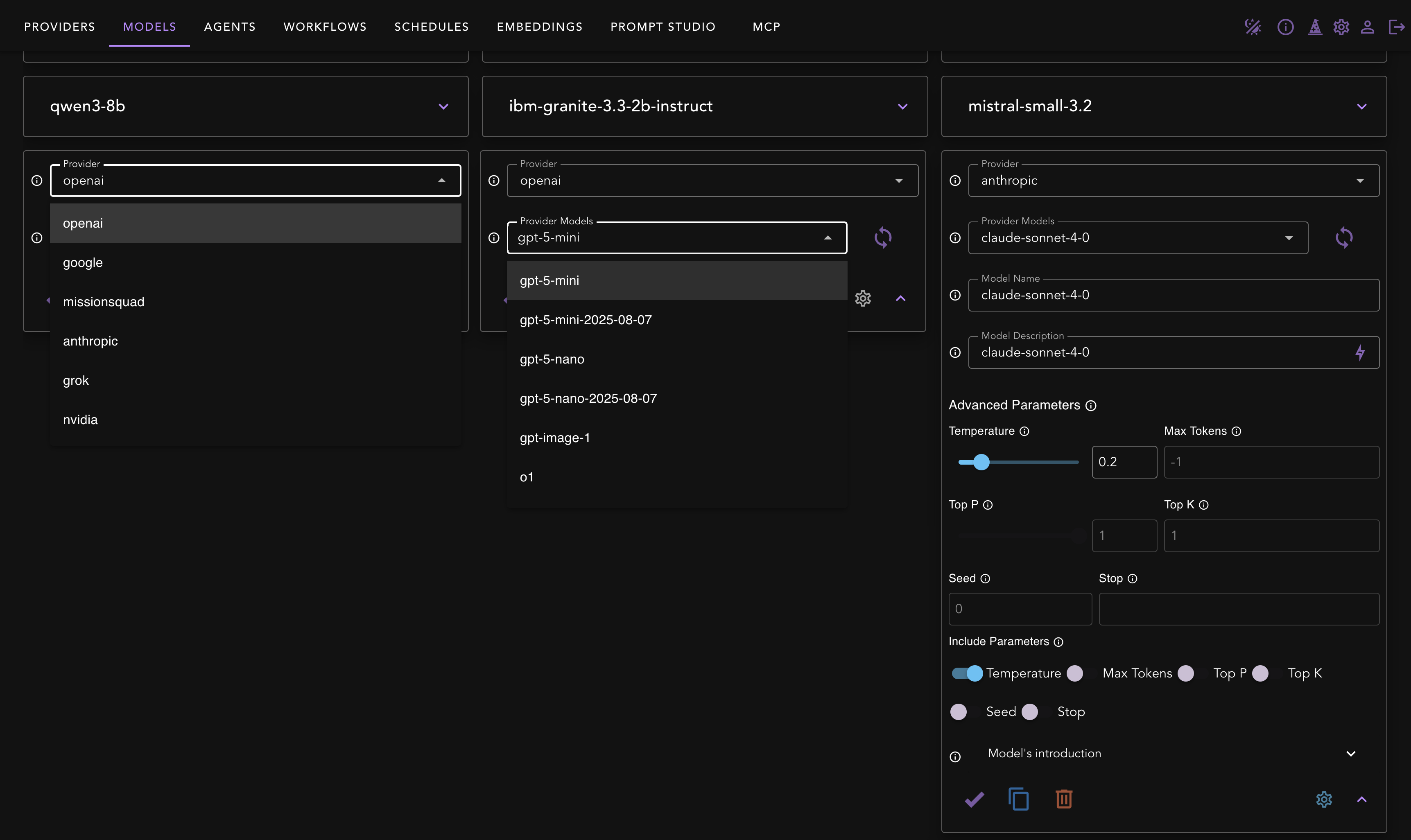
Typical flow
- Select Provider → select Provider Model (vendor model id).
- Model Name is automatically set to the default name from the provider. You can change this in advanced options.
- Optionally set a different Model Name (your friendly id used everywhere, e.g.,
gpt-4.1-mini-factual), Model Description and Advanced Parameters (Temperature, Max Tokens, Top‑P/Top‑K, Seed, Stop). - Click Save.
Advanced parameters
- Keep temperature low for factual agents; raise for creative tasks.
- Only include parameters you need; otherwise defaults are applied by the provider.
API parity
- Discover vendor models:
POST /v1/core/models - Add/save:
POST /v1/core/add/model - Delete:
POST /v1/core/delete/model - List (all regular models plus chat-eligible agents):
GET /v1/models
See Models
Gotchas
- If a model fails at runtime, confirm the provider key scope and that your account has access to that model tier.